Project View and Session View
POSM Central provides two ways to display inspections in Session Management:
- Project View
- Session View
Use the view selector to switch between them.
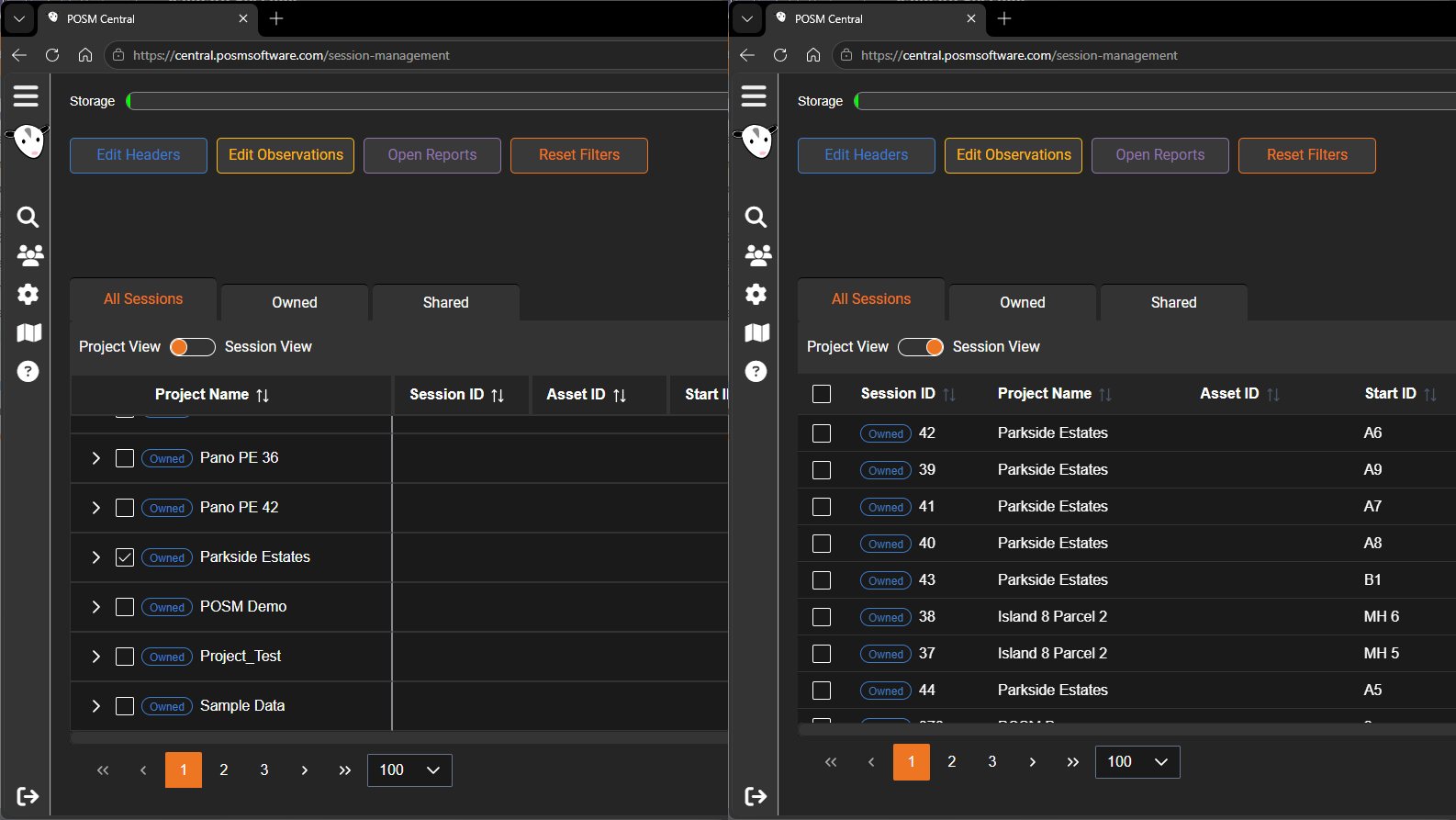
Project View
Project View organizes inspections by project name.
Each project appears in a tree-style list that can be expanded or collapsed.
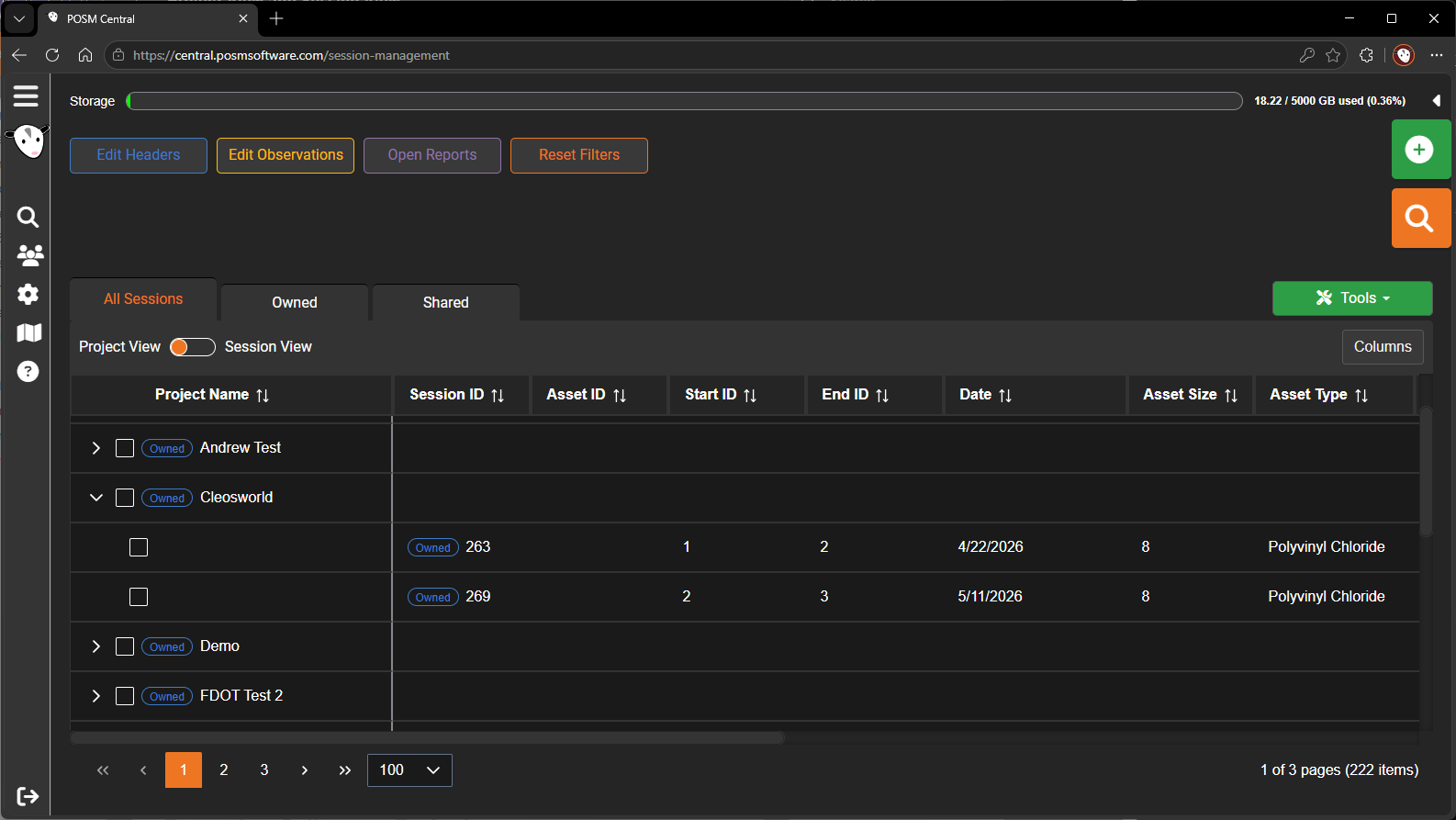
Use Project View when you want to:
- Review all sessions assigned to a project
- Keep related inspections grouped together
- Expand or collapse projects
- Select an entire project
- Share an entire project
- Download or export an entire project
- Confirm which sessions belong to a project
Expand or Collapse a Project
To view the sessions assigned to a project:
- Open Session Management.
- Select Project View.
- Locate the project.
- Select the expand control beside the project name.
- Review the sessions listed beneath it.
Select the collapse control to hide the sessions again.
Select an Entire Project
Use the checkbox beside a project name to select the complete project.
When a project is selected, supported Tools actions apply to the project and its sessions.
For example, you may be able to:
- Share the project
- Export or download the project
- Print reports for sessions in the project
- Perform other available batch actions
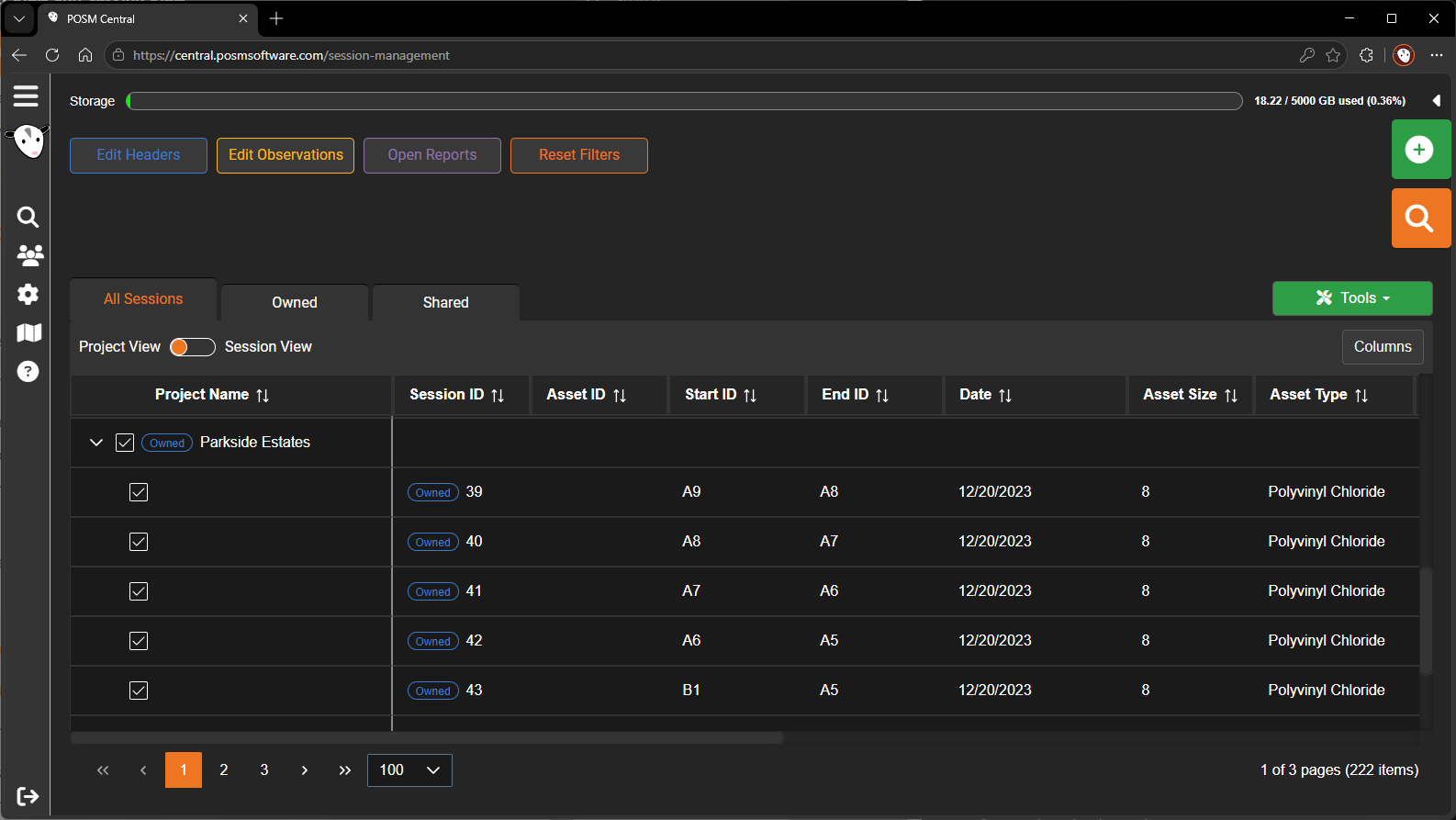
Share an Entire Project
A complete project can be shared with another organization.
When the project is shared, access applies to the sessions contained in that project.
If a session is later moved out of the shared project, its project-based access may change.
A session that was shared individually keeps its individual share even if its project assignment changes.
Session View
Session View displays all available inspections as individual rows.
The inspections are not grouped beneath project headings.
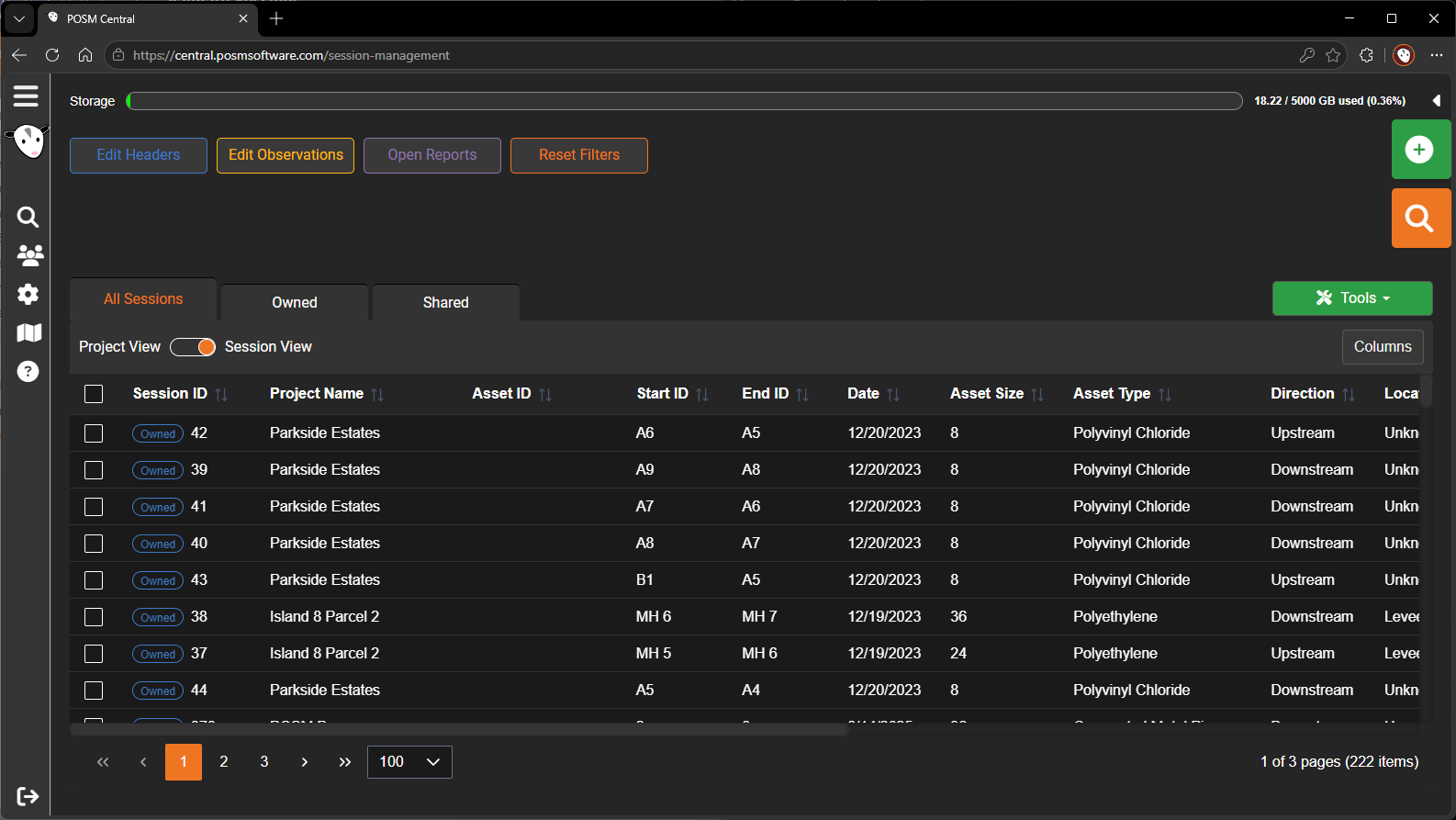
Use Session View when you want to:
- Review sessions across several projects
- Sort the complete session list
- Select individual sessions
- Select sessions from different projects
- Search for a specific inspection
- Compare ownership, date, status, size, or other session details
Changing Views
Switching between Project View and Session View does not change the sessions or their project assignments.
It only changes how the available sessions are displayed.
Tip
Use Project View for project-level actions. Use Session View when working with individual inspections across multiple projects.