Shared Session and Project Access Levels
When a session or project is shared in POSM Central, the owning organization chooses how the recipient can access the inspection data.
POSM Central provides three sharing options:
- Download Link Only
- View & Download
- Full Edit Access
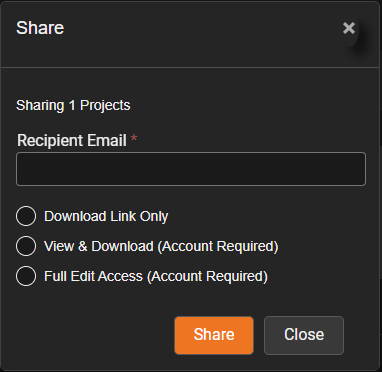
Sharing provides access to inspection data but does not change ownership.
Download Link Only
Use Download Link Only when the recipient needs a downloadable copy of the shared inspection data without access through POSM Central.
A POSM Central account is not required.
The recipient receives an email with a Download Export button that allows the shared inspection package to be downloaded.
60-day download period
A Download Link Only share remains available for download for 60 days.
Download Only is different from the two account-based sharing options. It provides a downloadable package rather than ongoing access to the original inspection data in POSM Central.
The recipient cannot use the Download Only share to view or edit the original inspection through POSM Central.
Download Only access cannot be changed
A Download Only share cannot be converted to View & Download or Full Edit Access.
If the recipient later needs account-based access, the owner must share the original session or project again using the desired access type.
View & Download
Use View & Download when the recipient needs to review shared inspection data through POSM Central without making changes.
A POSM Central account is required.
The recipient can:
- View the inspection
- View reports
- View images
- View video
- Download the inspection
The shared inspection is read-only.
The recipient cannot edit the inspection.
The user's role still applies
Access to POSM Central functions remains subject to the recipient's organization role and permissions.
Full Edit Access
Use Full Edit Access when the recipient needs read/write access to the shared inspection data.
A POSM Central account is required.
The recipient can view and edit the shared inspection, subject to the permissions provided by their POSM Central role.
Full Edit Access does not grant ownership
Full Edit Access does not make the receiving organization the owner of the inspection.
It also does not automatically give the recipient permission to share the inspection with others or transfer its ownership.
Account-Based Access
View & Download and Full Edit Access are account-based shares.
Unlike Download Only, these sharing options provide ongoing access to the inspection data through POSM Central.
The access available to a recipient depends on both:
- The access level assigned to the share
- The recipient's POSM Central role and permissions
Review Existing Shares
The owning organization can review existing shares from the Shared tab in Session Management.
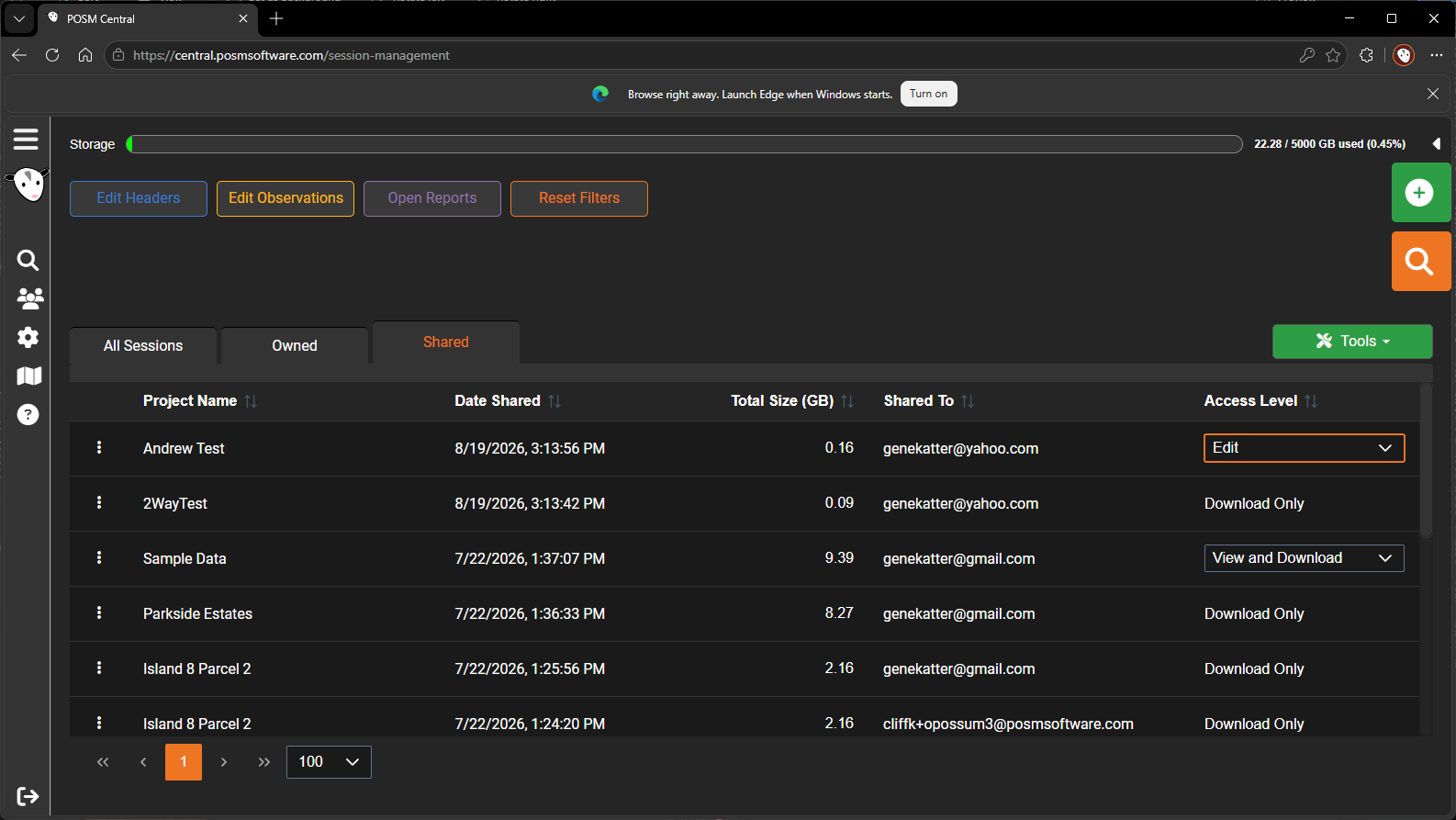
The Shared tab shows information such as:
- Project Name
- Date Shared
- Total Size
- Shared To
- Access Level
Download Only shares are also shown here, but their access level cannot be changed.
Change an Existing Access Level
For account-based shares, the owner can change access between:
View & Download → Full Edit Access
or
Full Edit Access → View & Download
Open the access-level drop-down and select the desired access level.
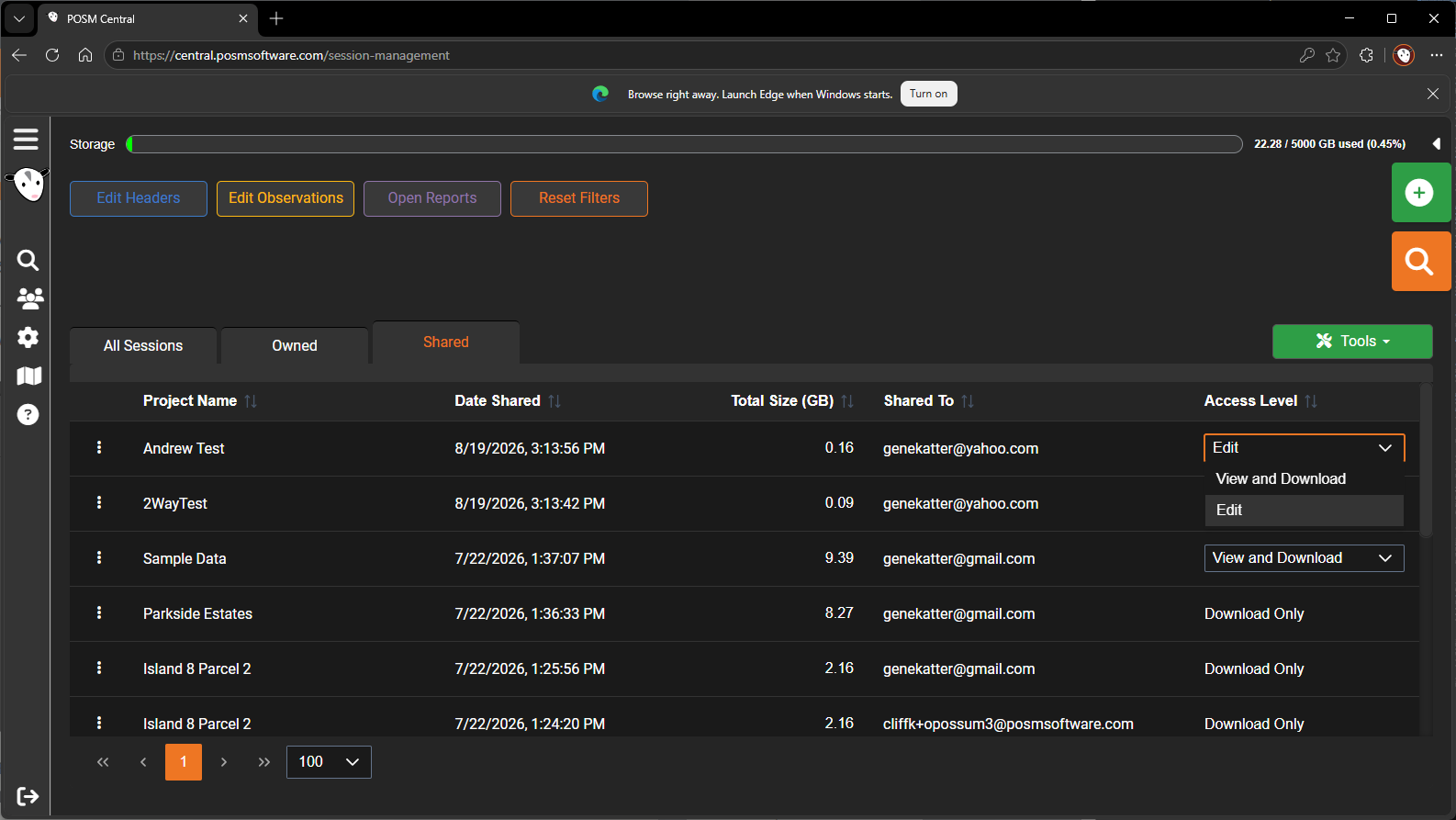
The change takes effect immediately.
No Save button is required
Selecting the new access level immediately changes the recipient's access.
Download Only remains Download Only
Download Only cannot be selected from this access-level control.
If a different sharing method is needed, share the original session or project again.
Sharing Does Not Transfer Ownership
Sharing and transferring ownership are different operations.
When inspection data is shared, the original organization remains the owner.
When inspection data is transferred, ownership moves to another organization.
Transfer is a separate action
Do not use Transfer simply because another organization needs to view or edit inspection data.
Use Share when your organization should remain the owner.
Access-Level Summary
| Access Level | Account Required | View in Central | Download | Edit | Share or Transfer |
|---|---|---|---|---|---|
| Download Link Only | No | No | Yes | No | No |
| View & Download | Yes | Yes | Yes | No | No |
| Full Edit Access | Yes | Yes | Yes | Yes, when the user's role permits | No |