Administration
POSM Central administration includes the tools and settings used to manage your organization, users, security, and storage.
Organization Administrators have full access to POSM Central, including Access Management, where users can be added, edited, activated, deactivated, and assigned roles.
Manage Users
Organization Administrators can manage users from Access Management.
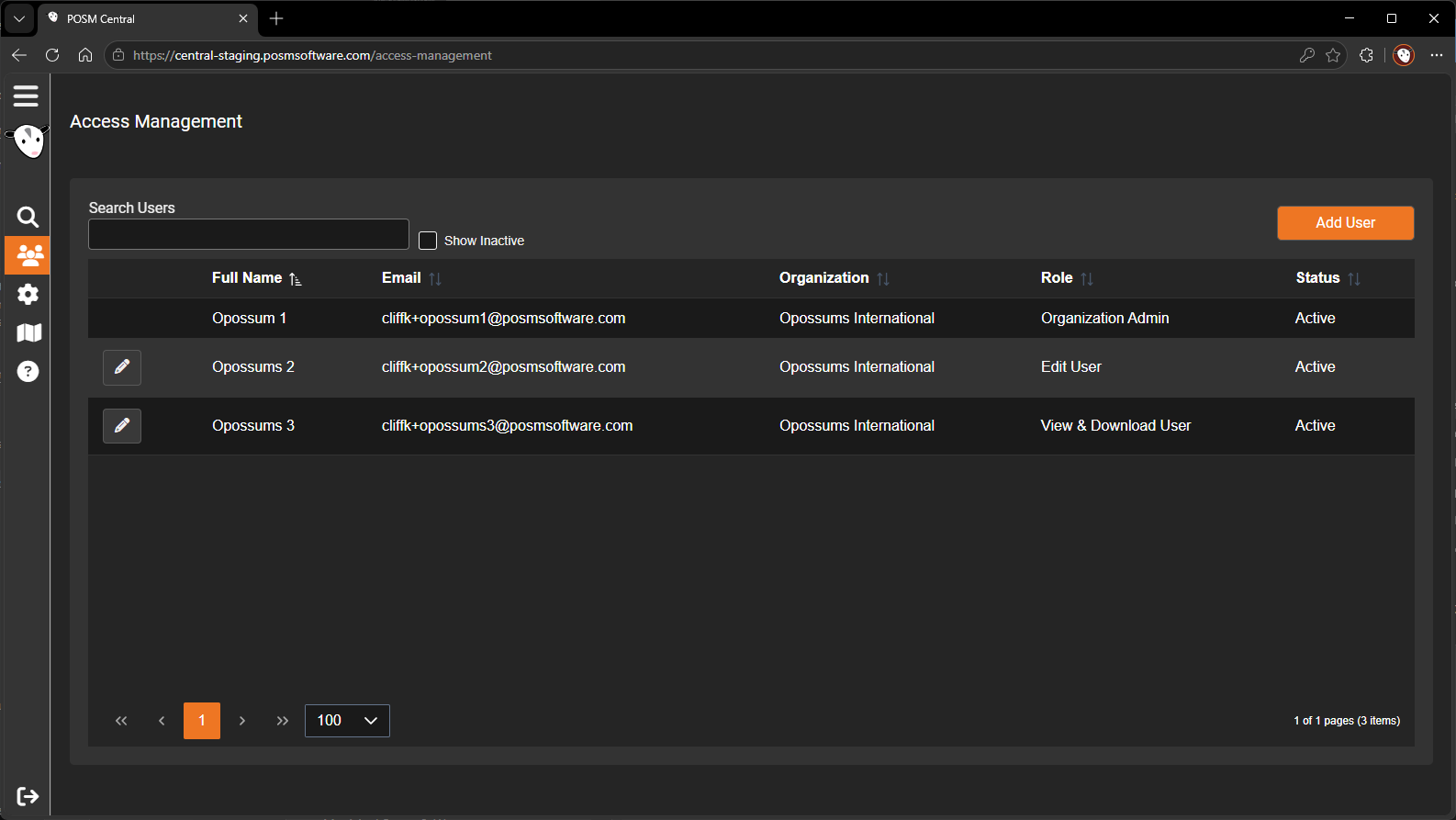
From Access Management, Organization Administrators can:
- Add users
- Edit user information
- Assign or change user roles
- Activate users
- Deactivate users
Organization Settings
Organization settings are available from User Settings.
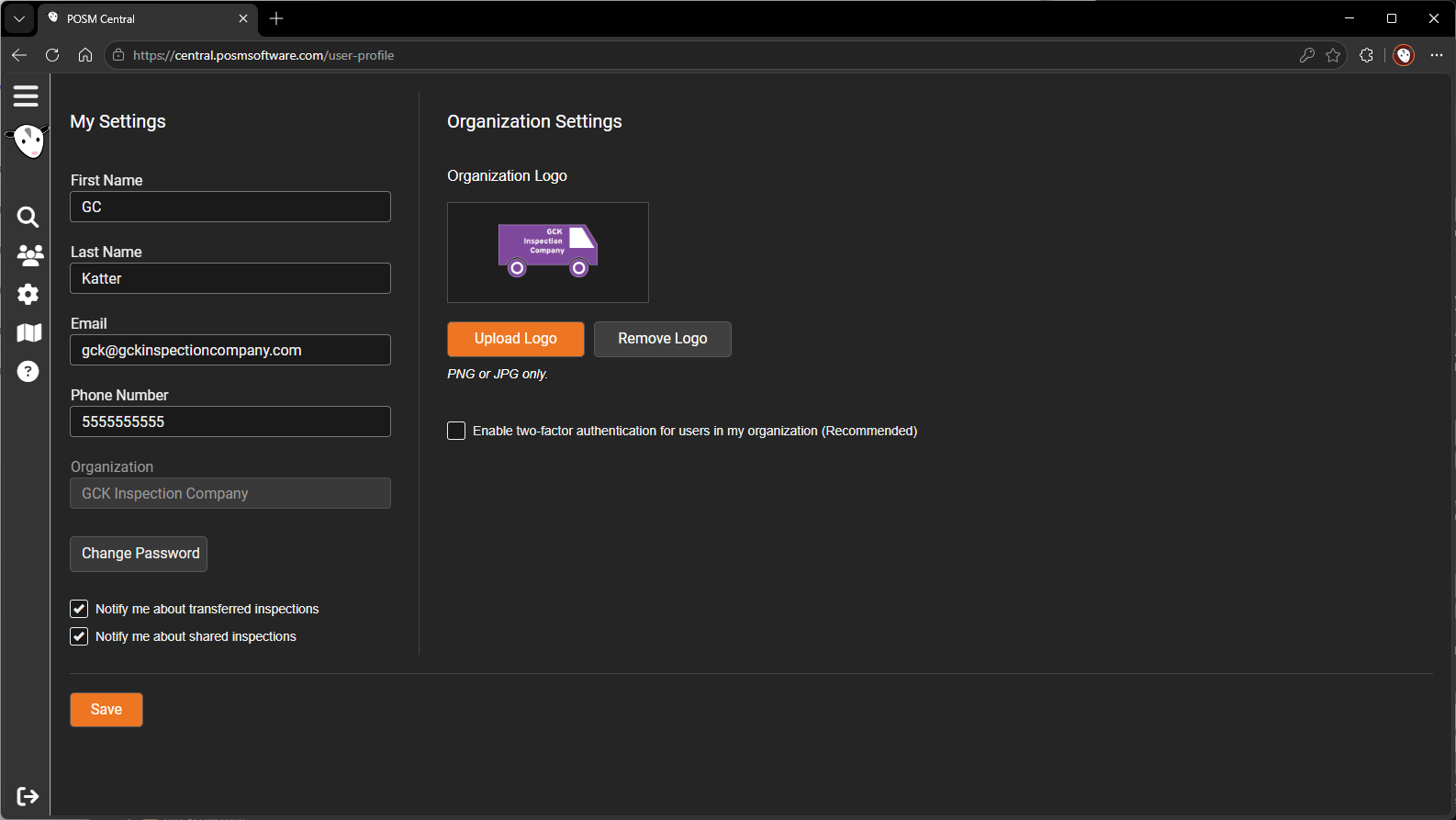
Organization settings include:
- Organization logo
- Two-factor authentication
Organization Administrators and Edit Users can change the organization's two-factor authentication setting.
View & Download Users cannot change the two-factor authentication setting.
Storage
POSM Central tracks the storage used by each organization.
A storage meter at the top of Session Management shows the organization's current usage and available capacity.
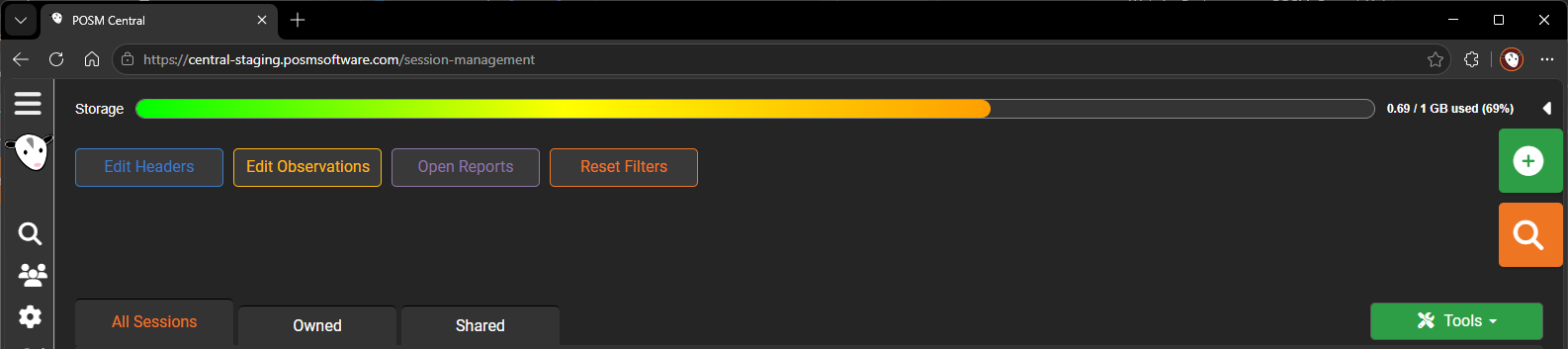
The meter fills from left to right as storage is used and progresses through a color spectrum from green toward red.
The current usage is also displayed numerically to the right of the meter:
X / X GB used (X%)
Additional storage can be purchased when an organization needs more capacity.
User Roles and Permissions
POSM Central provides three organization user roles:
- Organization Admin
- Edit User
- View & Download User
Organization Admins have full access, including user administration.
Edit Users can perform operational inspection tasks such as creating, editing, deleting, sharing, transferring, exporting, and printing inspection data, but cannot access Access Management.
View & Download Users are primarily intended to view, download, export, and print permitted inspection information.
Deleting Inspection Data
POSM Central does not provide an Archive or Glacier-storage workflow.
Authorized users can delete inspection data using Delete from the Tools menu in Session Management.
Download data you want to preserve
If inspection data should be retained outside POSM Central, download or export the data before deleting it.
Deleted inspection data should not be treated as an archive.