NASSCO Defect Report
The Defect report displays NASSCO-style structural and maintenance defect information for an inspection.
It provides a summary of recorded defects, their weights, and the resulting pipe ratings.
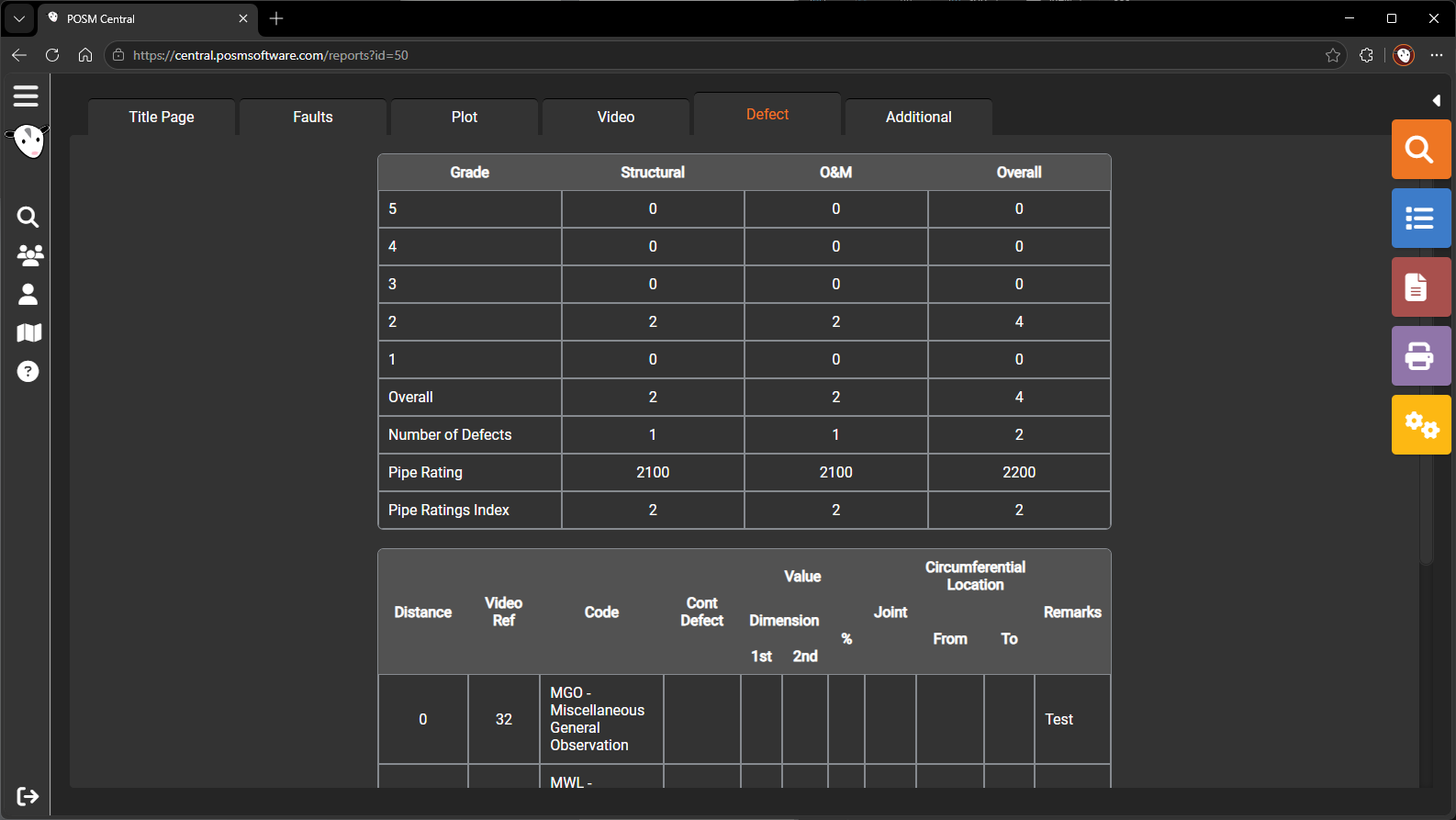
Open the Defect Report
- Open Session Management.
- Select an applicable NASSCO inspection.
- Select Open Reports.
- Select the Defect tab.
Information Shown
Depending on the inspection template and available data, the Defect report may include:
- Observation code
- Observation description
- Footage
- Structural weight
- Maintenance weight
- Defect severity
- Structural rating
- Maintenance rating
- Overall pipe rating
- Other NASSCO scoring information
Change NASSCO Defect Report Settings
While viewing the NASSCO Defect report, select the yellow Report Settings button on the left side of the screen.
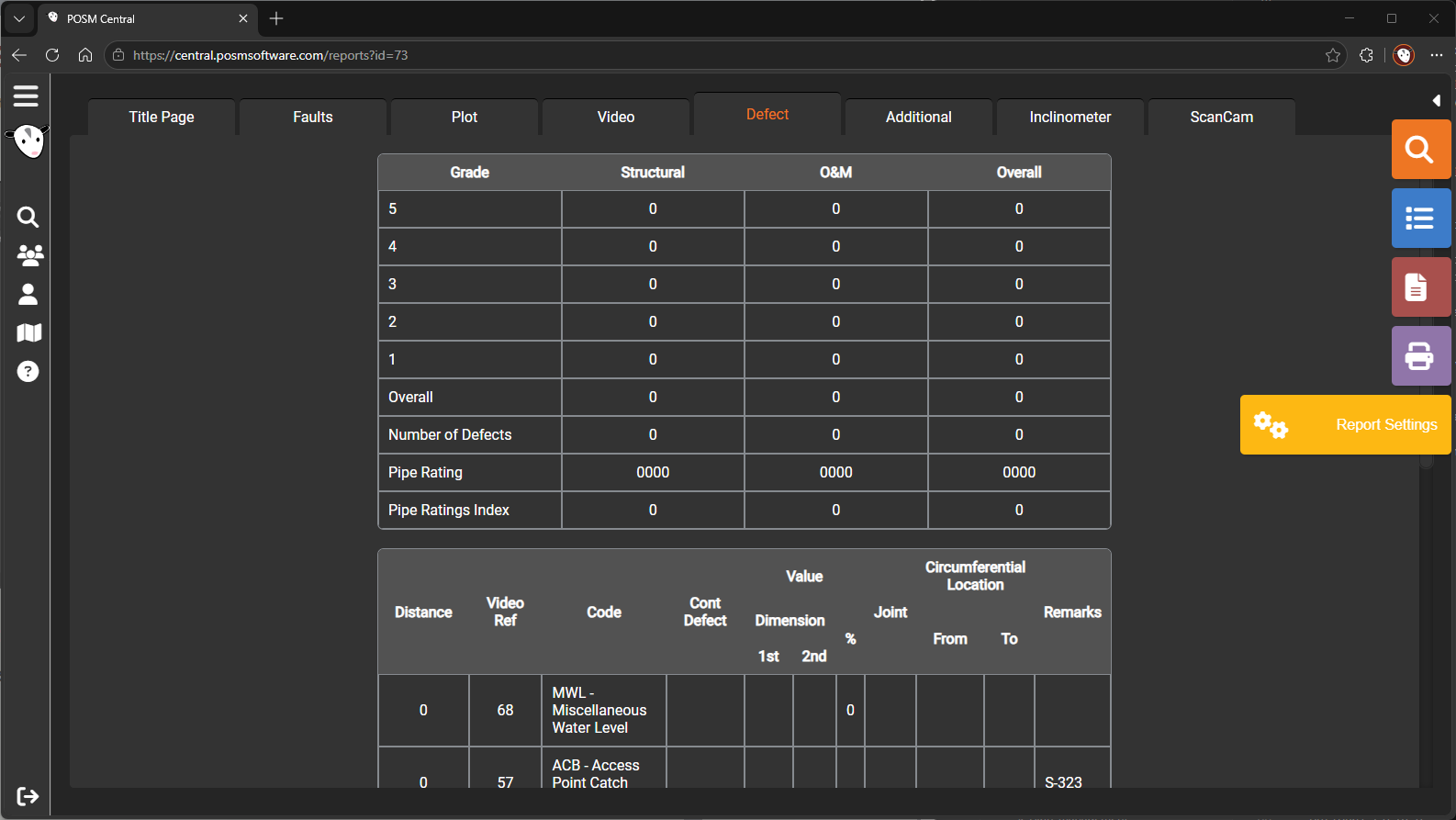
The Report Settings window allows authorized users to control which information appears in the report.
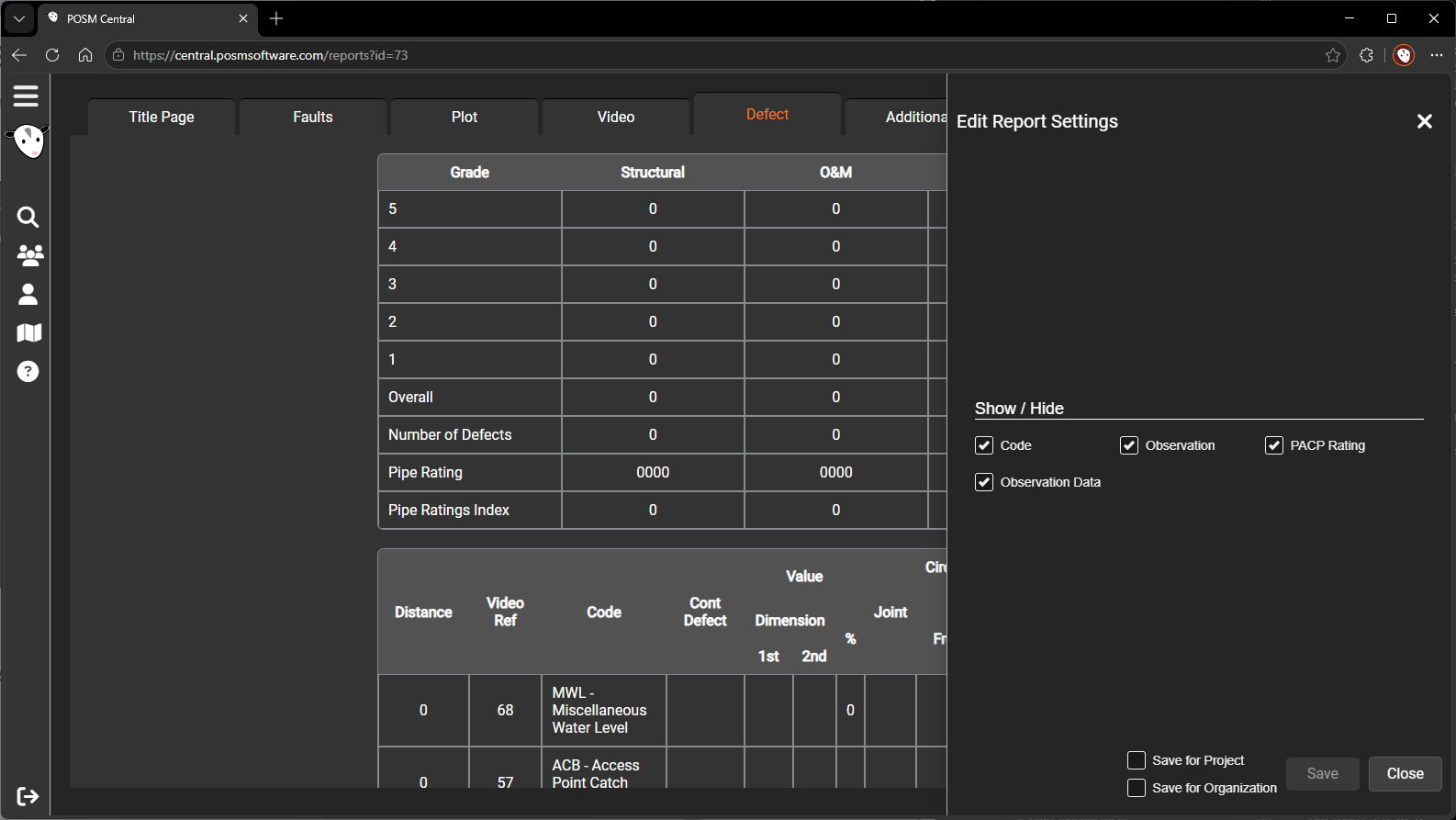
Show or Hide Report Fields
Use the checkboxes in the Report Settings window to show or hide:
- Code
- Observation
- PACP Rating
- Observation Data
Selecting an option displays that information in the report. Clearing an option removes it.
Save Report Settings
At the bottom of the same Report Settings window are options for determining where the selected preferences are saved.
Save for Project
Select Save for Project to apply the report settings to the current project.
Use this option when a particular project requires a report layout that differs from the organization default.
Save for Organization
Select Save for Organization to apply the selected settings as the organization-wide default.
Important
Selecting Save for Organization changes the default NASSCO Defect report layout for the entire organization. Review the selected fields before saving.
Save or Cancel
After selecting the report options:
- Select Save to apply and save the settings.
- Select Cancel to close the window without saving changes.
Project-level settings allow a particular project to use a report layout that differs from the organization default.
Structural Information
Structural defects relate to the physical condition and integrity of the pipe.
Examples may include conditions such as:
- Cracks
- Fractures
- Broken pipe
- Deformation
- Collapse
- Joint defects
The report may display structural weights and ratings calculated from the recorded observations.
Maintenance Information
Maintenance conditions relate to cleaning, operational, or service-related issues.
Examples may include:
- Deposits
- Roots
- Obstructions
- Grease
- Infiltration
- Other maintenance conditions
The report may display maintenance weights and ratings calculated from the recorded observations.
Report Availability
The Defect report appears when the inspection uses a supported NASSCO template and contains applicable scoring information.
Non-NASSCO or custom inspections may not include this report.
Correct Defect Information
Defect scores are based on the recorded observations.
To correct a result:
- Open Edit Observations.
- Review the observation code and required fields.
- Correct the observation information.
- Save the changes.
- Reopen the report.
Note
Rating and scoring behavior depends on the NASSCO template and standard used by the inspection.